> ## Documentation Index
> Fetch the complete documentation index at: https://docs.contributor.info/llms.txt
> Use this file to discover all available pages before exploring further.
# Repository Search
> Look up any public GitHub repository by URL or owner/repo shorthand to instantly see who's contributing, how healthy it is, and where effort is concentrated.
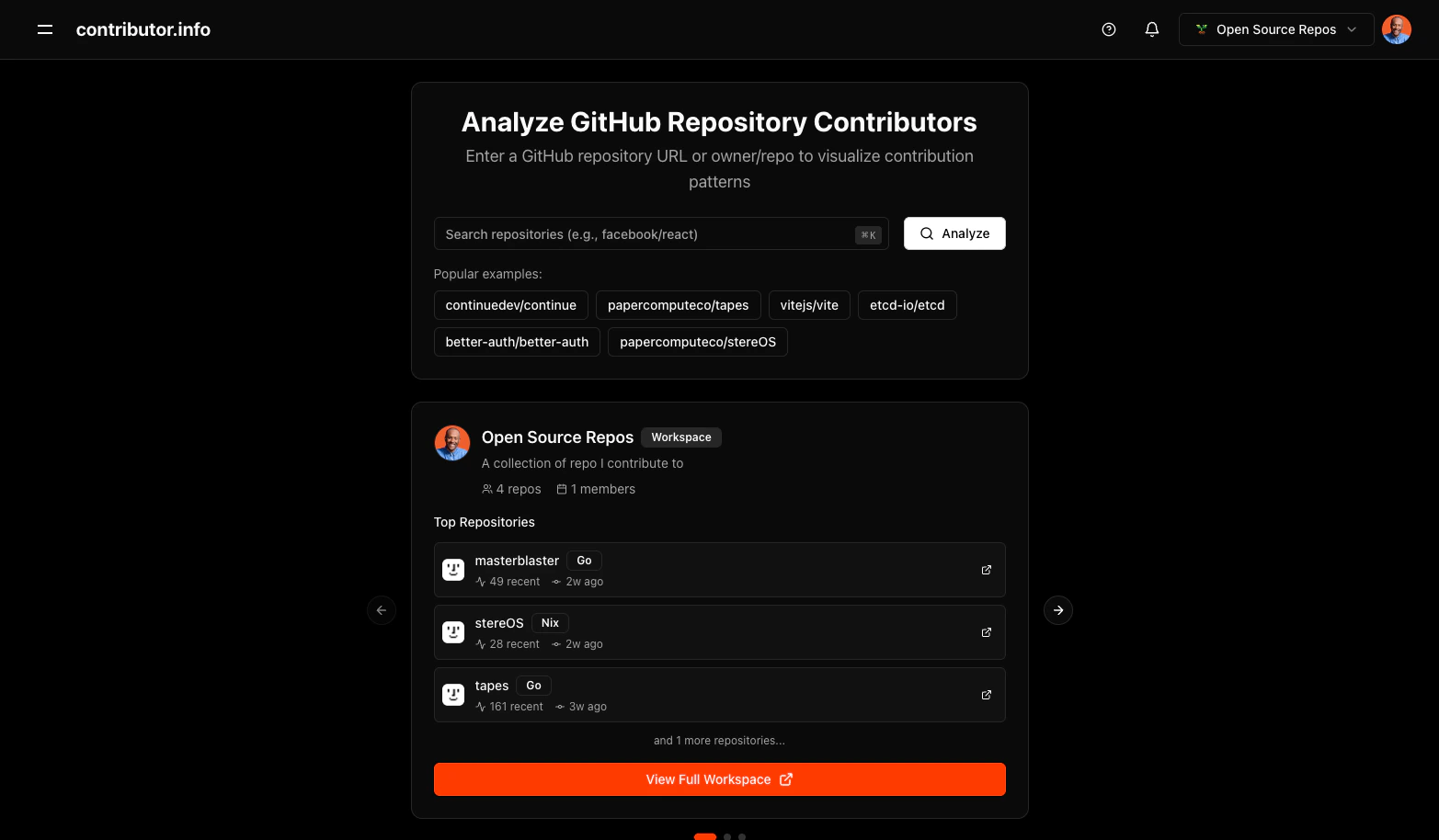
The **Repository Search** feature lets you analyze any public GitHub repository's contributor patterns. Enter a GitHub URL or a shorthand owner/repo reference to load contributor insights, health metrics, and distribution data.
 ## Search Methods
You can search using either format.
**Full GitHub URL:**
```
https://github.com/facebook/react
```
**Shorthand format:**
```
facebook/react
```
Both formats resolve to the same repository. The shorthand is faster to type; the full URL is useful when copying directly from your browser.
## Usage Example
To analyze the `vercel/next.js` repository:
1. Navigate to [contributor.info](https://contributor.info)
2. Enter `vercel/next.js` or `https://github.com/vercel/next.js` in the search bar
3. Press **Enter** or click **Search**
The app validates the repository and loads contributor data. Results are cached so repeat visits load immediately.
You can also navigate directly via URL:
```
https://contributor.info/vercel/next.js
```
## Features
* **Auto-validation**: Confirms the repository exists and is public before loading data
* **30-day analysis**: Focuses on recent activity to reflect the current state of the project
* **Multi-tab insights**: Contributions, Health, and Distribution views in one place
* **Smart caching**: Subsequent loads pull from cache for instant results
* **Featured repos**: Quick-access links to popular open-source projects on the home page
## Insights Available After Search
Once a repository loads, three views are available:
* **Contributions**: Who is contributing, how often, and what type of work they do
* **Health**: Repository health signals including review coverage, bus factor, and response times
* **Distribution**: Breakdown of contribution volume by contributor and language
## Best Practices
* Search public repositories only. Private repositories are not supported.
* Active projects with recent commit history produce the most complete results.
* Start with the **Contributions** tab to get an overview of contributor activity.
* Use the **Health** tab to identify risk signals such as single-contributor dependencies.
* The **Distribution** tab is useful for understanding language and effort patterns across contributors.
## Search Methods
You can search using either format.
**Full GitHub URL:**
```
https://github.com/facebook/react
```
**Shorthand format:**
```
facebook/react
```
Both formats resolve to the same repository. The shorthand is faster to type; the full URL is useful when copying directly from your browser.
## Usage Example
To analyze the `vercel/next.js` repository:
1. Navigate to [contributor.info](https://contributor.info)
2. Enter `vercel/next.js` or `https://github.com/vercel/next.js` in the search bar
3. Press **Enter** or click **Search**
The app validates the repository and loads contributor data. Results are cached so repeat visits load immediately.
You can also navigate directly via URL:
```
https://contributor.info/vercel/next.js
```
## Features
* **Auto-validation**: Confirms the repository exists and is public before loading data
* **30-day analysis**: Focuses on recent activity to reflect the current state of the project
* **Multi-tab insights**: Contributions, Health, and Distribution views in one place
* **Smart caching**: Subsequent loads pull from cache for instant results
* **Featured repos**: Quick-access links to popular open-source projects on the home page
## Insights Available After Search
Once a repository loads, three views are available:
* **Contributions**: Who is contributing, how often, and what type of work they do
* **Health**: Repository health signals including review coverage, bus factor, and response times
* **Distribution**: Breakdown of contribution volume by contributor and language
## Best Practices
* Search public repositories only. Private repositories are not supported.
* Active projects with recent commit history produce the most complete results.
* Start with the **Contributions** tab to get an overview of contributor activity.
* Use the **Health** tab to identify risk signals such as single-contributor dependencies.
* The **Distribution** tab is useful for understanding language and effort patterns across contributors.