Overview
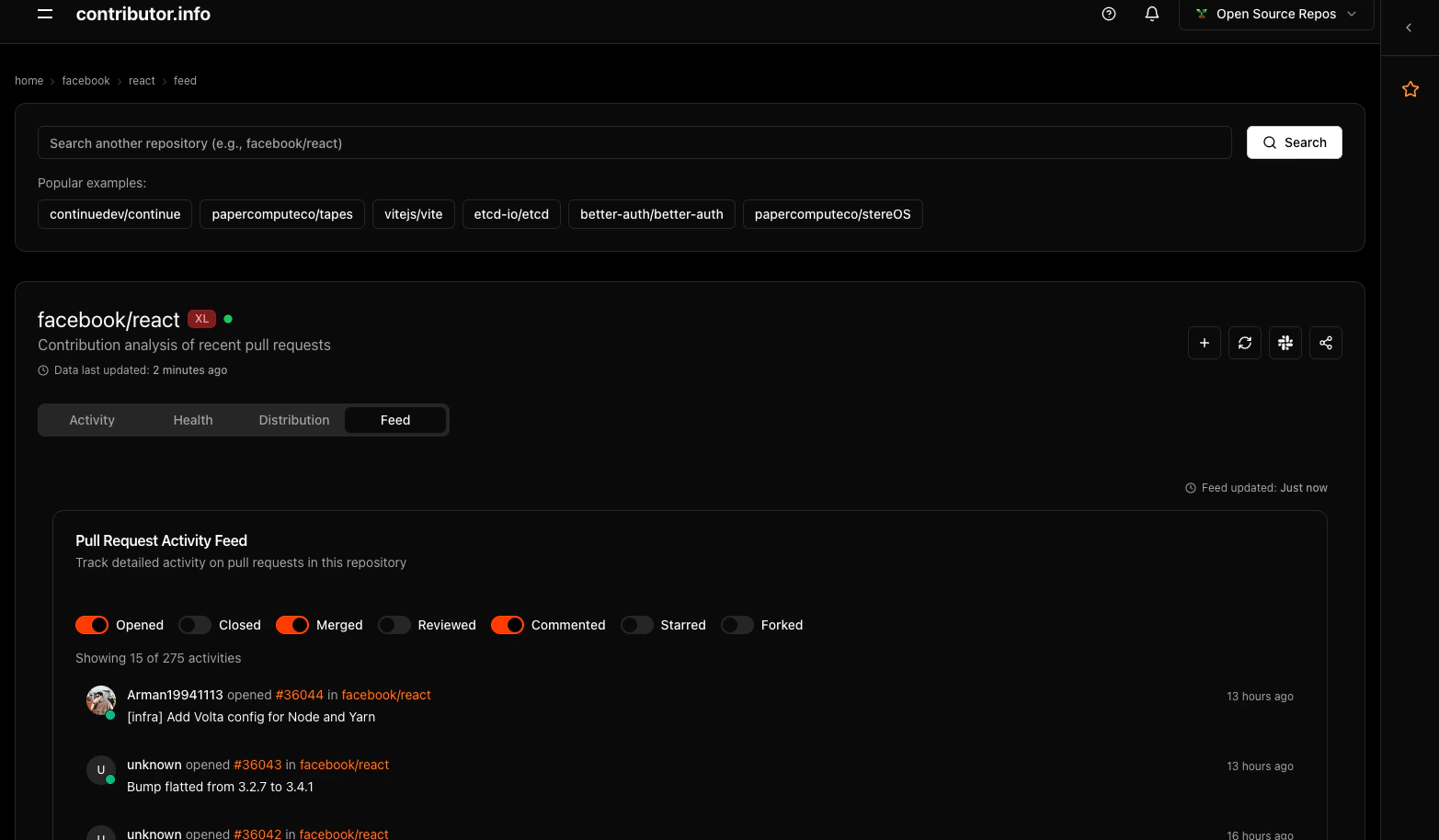
The activity feed presents a timeline of repository events including pull request creations, merges, reviews, and contributor milestones. It serves as a project pulse that keeps maintainers and contributors informed about ongoing development activity.Feed Components
Pull Request Timeline
The timeline displays pull request events in chronological order, showing creation, review, and merge activity across all contributors.Activity Insights
Velocity Indicators
Real-time feed of repository activity The feed displays PR events in reverse chronological order with key details:- PR Creation: New pull requests with title, author, and creation timestamp
- Merge Events: Successfully merged PRs with merge time and reviewer information
- Review Activity: Code review submissions, approvals, and change requests
- Status Changes: PR state transitions from draft to ready, or open to closed
Contributor Highlights
Special feed items celebrate contributor achievements and milestones:- First-time Contributors: Welcome messages for new project contributors
- Contribution Streaks: Recognition for contributors with consecutive PR activity
- Review Milestones: Acknowledgment of significant review activity
- Top Performer Badges: Monthly and weekly top contributor recognitions
Real-Time Updates
The feed refreshes automatically to show the latest activity without requiring manual page reloads, ensuring you always have current information.Navigation and Interaction
Direct PR Links
Each feed item includes direct links to the associated pull request on GitHub, enabling quick navigation from the activity overview to detailed PR information.Contributor Profiles
Clicking on contributor names provides access to their detailed profile and contribution history within the repository.Contextual Information
Feed items include relevant context such as file changes, commit counts, and affected areas of the codebase to help understand the scope of each contribution.Integration Benefits
Project Monitoring
Maintainers can quickly scan the feed to understand current project status, identify contributions requiring attention, and track team productivity.Community Engagement
The feed helps foster community by celebrating contributions and making all team members’ work visible and appreciated.Historical Context
The chronological format provides valuable historical context for understanding how the project has evolved and which contributors have been most active during specific periods.Usage Example
Navigate to a tracked repository and open the Activity tab to view the feed. The URL pattern follows:openSauced/pizza-cli repository: