Workspaces is a paid feature. Sign up to get started.
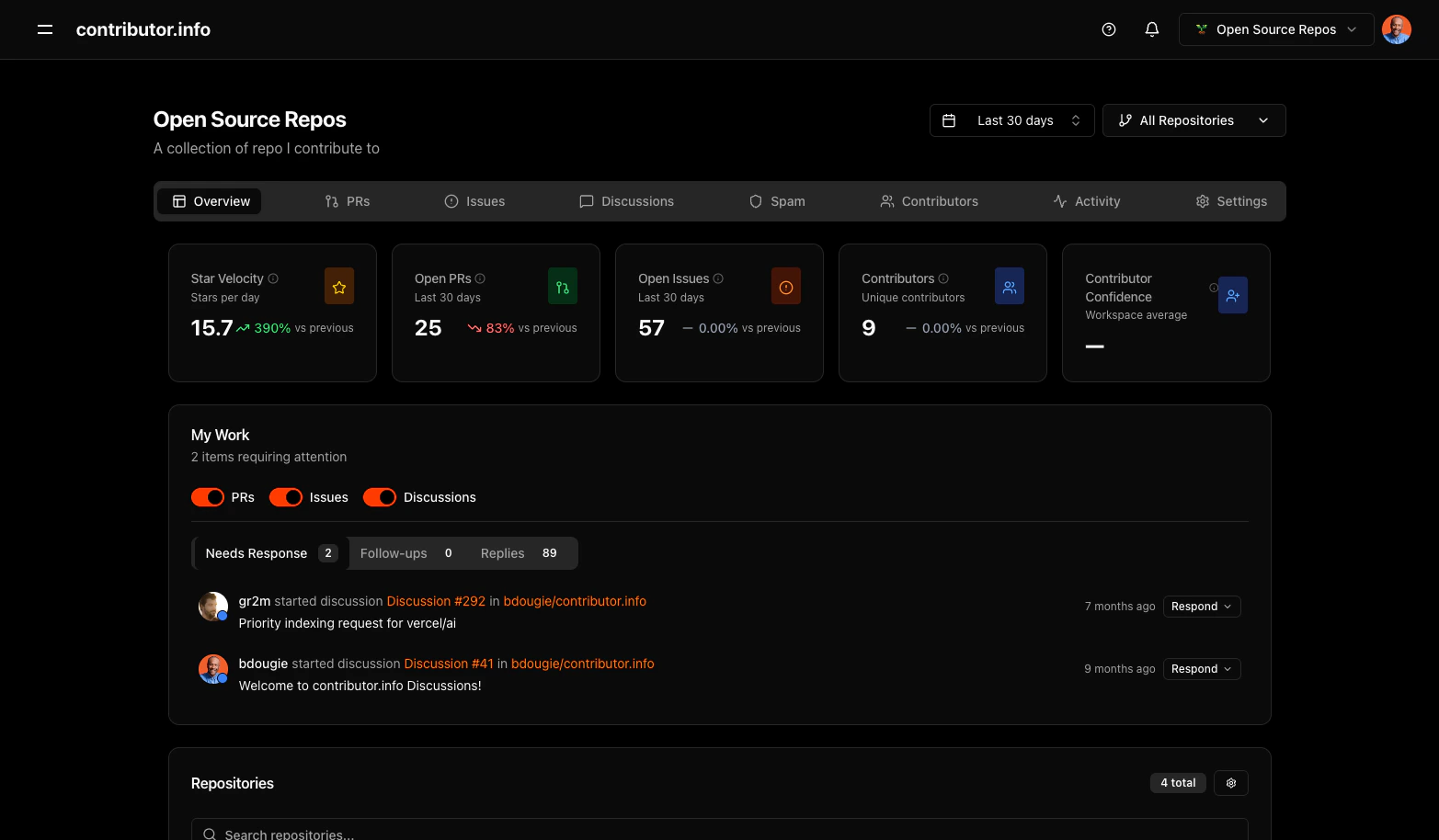
Workspaces let you group related repositories into a single dashboard. Instead of analyzing repos one at a time, you see aggregated metrics — star velocity, open PRs, contributor count, and confidence scores — across every project in the workspace.
Workspace dashboard showing aggregated metrics across multiple repositories

What you get

FeatureDescription
Aggregated metricsStar velocity, open PRs, open issues, unique contributors, and contributor confidence averaged across all repos
My WorkItems needing your response — PRs, issues, and discussions — in one feed
Repository managementAdd, remove, and search repos within your workspace
Tab navigationOverview, PRs, Issues, Discussions, Spam, Contributors, Activity, Settings
Time range filteringLast 30 days, 60 days, 90 days — applied across all repos

Creating a workspace

  1. Sign in with GitHub
  2. Click the workspace selector in the top navigation
  3. Select Create Workspace
  4. Name it and add repositories

Use cases

Open source maintainers — Group all projects you maintain into one workspace. See which repos need attention without checking each one individually. Engineering teams — Track your team’s repositories together. Monitor PR velocity, review coverage, and contributor growth in one view. Community managers — Watch contributor activity across an ecosystem of related projects. Spot trends and recognize active contributors.