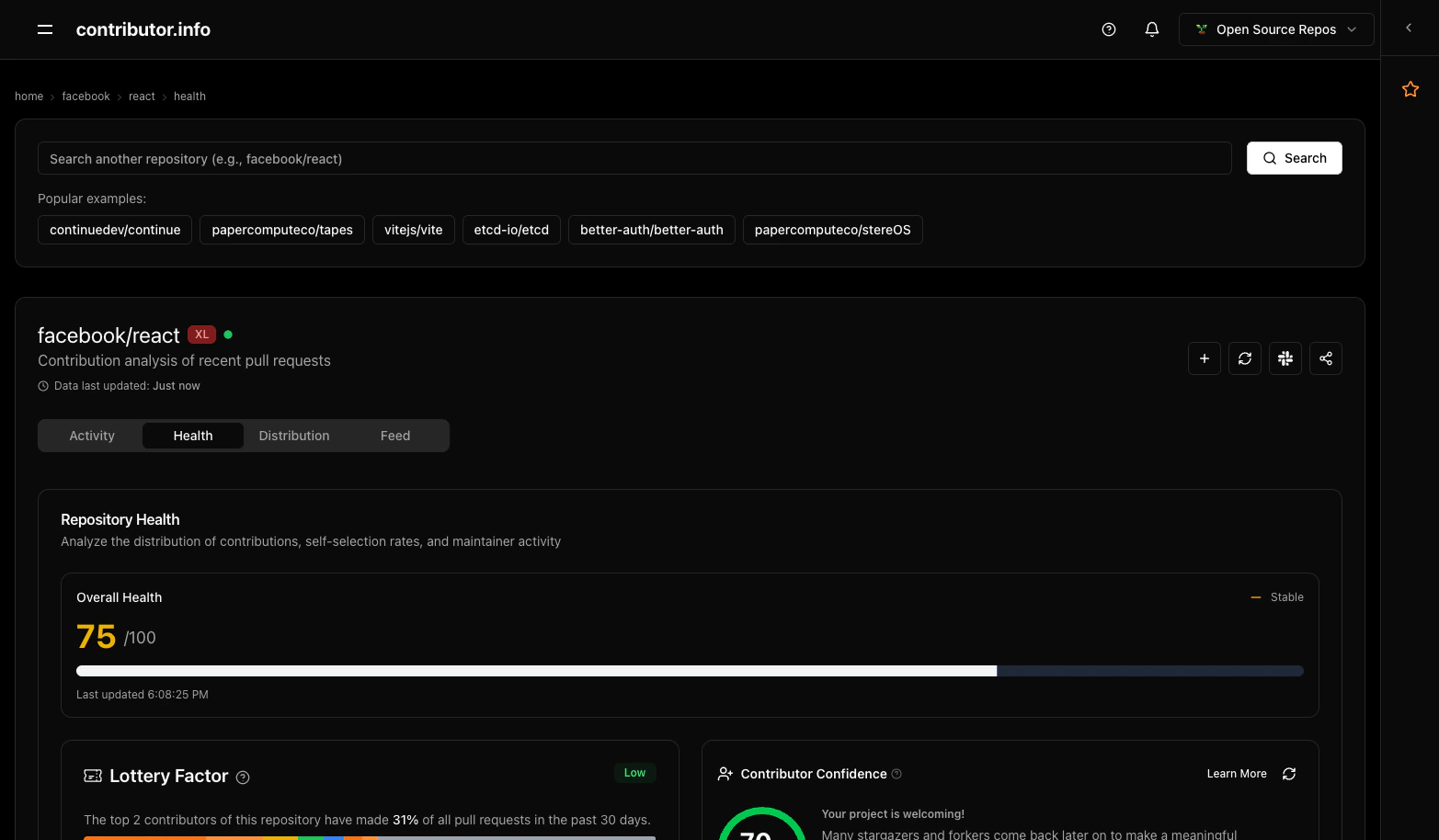
What is Contributor Confidence?
Contributor Confidence measures the likelihood that people who star or fork your repository will return to make meaningful contributions. This metric helps you understand how welcoming and approachable your project is to potential contributors.How It Works
The Contributor Confidence algorithm analyzes your repository’s GitHub activity to calculate what percentage of stargazers and forkers eventually become active contributors through pull requests, issues, or comments.The Algorithm
Our enhanced confidence calculation combines multiple factors using a weighted approach:Primary Factors (Weighted Combination)
-
Star/Fork Conversion (35% weight)
- Tracks users who starred or forked your repository
- Measures how many return to contribute via pull requests
- Follows the OpenSauced methodology with weighted scoring:
- Fork events: 70% weight (stronger intent signal)
- Star events: 30% weight (lighter engagement signal)
-
Engagement Confidence (25% weight)
- Analyzes comment activity as engagement indicators
- Tracks users who comment on issues, pull requests, or commits
- Measures their conversion to meaningful contributions
- Includes: Issue comments, PR review comments, commit comments
-
Retention Confidence (25% weight)
- Evaluates contributor return patterns over time
- Compares current period contributors with previous period
- Higher retention indicates a welcoming project environment
-
Quality Confidence (15% weight)
- Measures pull request success rates
- Tracks merge rates as quality indicators
- Higher merge rates suggest effective contribution processes
Repository Adjustments
The algorithm applies intelligent adjustments based on repository characteristics:- Large Repository Scaling: Popular repositories (10k+ stars/forks) get adjusted expectations since they naturally have lower conversion rates
- Time Window: Analysis based on recent 30-day activity window
- Maturity Factors: Newer repositories get adjusted scoring to account for limited historical data
Confidence Levels & Meanings
🔴 Intimidating (0-30%)
“Your project can be Intimidating”- Almost no stargazers and forkers return to contribute
- Suggests high barriers to entry or unclear contribution processes
- Recommendations: Improve documentation, add contribution guidelines, create “good first issue” labels
🟠 Challenging (31-50%)
“Your project is challenging”- Few stargazers and forkers return to contribute
- Moderate barriers may exist for new contributors
- Recommendations: Streamline onboarding, provide better contributor documentation, engage with potential contributors
🔵 Approachable (51-70%)
“Your project is approachable!”- Some stargazers and forkers return to contribute
- Good foundation with room for improvement
- Recommendations: Continue current practices, consider mentor programs, expand contributor recognition
🟢 Welcoming (71-100%)
“Your project is welcoming!”- Many stargazers and forkers return to contribute
- Excellent contributor experience and community health
- Recommendations: Share your practices with the community, maintain current standards, consider scaling your approach
Data Sources
The confidence calculation uses the following GitHub event types, fetched via the GitHub Events API:Event Types Analyzed
- WatchEvent: Repository stars
- ForkEvent: Repository forks
- PullRequestEvent: Pull request submissions
- IssuesEvent: Issue creation and management
- IssueCommentEvent: Comments on issues
- PullRequestReviewCommentEvent: Comments on pull request reviews
- CommitCommentEvent: Comments on commits
- PullRequestReviewEvent: Pull request reviews
Analysis Period
The confidence calculation analyzes the most recent 30 days of activity to provide current insights into your repository’s contributor patterns.Understanding Your Score
What a Good Score Means
- High confidence indicates your project successfully converts interest into contributions
- Shows effective onboarding, clear documentation, and welcoming community
- Demonstrates that your contribution process works well
What a Low Score Indicates
- Low confidence suggests barriers preventing contribution
- May indicate unclear documentation, complex setup, or intimidating community dynamics
- Presents opportunities for improvement in contributor experience
Factors That Influence Your Score
- Documentation quality: Clear README, contribution guidelines, code of conduct
- Issue management: Well-labeled issues, responsive maintainers, “good first issue” tags
- Community engagement: Welcoming responses to questions and contributions
- Project complexity: Simpler projects often have higher conversion rates
- Maintainer responsiveness: Quick responses to issues and pull requests
Improving Your Confidence Score
Documentation & Onboarding
- Write a structured README: Cover installation steps, usage examples, and a labeled path for first-time contributors
- Add contribution guidelines: Step-by-step process for new contributors
- Maintain code of conduct: Set expectations for community interaction
- Provide good first issues: Label beginner-friendly tasks
Community Building
- Respond promptly: Quick responses to issues and pull requests
- Be welcoming: Use encouraging language in interactions
- Provide mentorship: Guide new contributors through their first contributions
- Recognize contributors: Acknowledge and thank contributors publicly
Technical Improvements
- Simplify setup: Reduce barriers to getting the project running locally
- Improve test coverage: Make it easier for contributors to verify their changes
- Use clear coding standards: Consistent style reduces contribution friction
- Automate workflows: CI/CD and automated checks help contributors succeed
How the Score Works
The confidence score is computed from three components: privileged event analysis, activity patterns, and temporal consistency. The final score is bounded by the algorithm before display in the UI. Refer to the in-product confidence label (Intimidating, Challenging, Approachable, Welcoming) as the source of truth for your repository’s rating.Frequently Asked Questions
Why is my score 0%?
- Your repository may not have sufficient GitHub event data
- The repository might need to be synced with our system first
- Very new repositories may not have enough activity to calculate confidence
How often is the score updated?
- Scores are cached for performance (30 minutes to 1 hour)
- Cache is automatically invalidated when new GitHub data is synced
- You can force a fresh calculation using the refresh button
Can I compare scores across repositories?
- Scores are most meaningful when tracking your own repository’s progress over time
- Direct comparisons should consider repository size, age, and domain differences
- Focus on improving your own score rather than comparing to others
Technical Details
Caching & Performance
- Confidence scores are cached to improve page load performance
- Popular repositories: 30-minute cache duration
- Regular repositories: 1-hour cache duration
- Cache automatically invalidates when new data is synced
Data Privacy
- Only uses publicly available GitHub event data
- No private repository information is accessed
- Follows GitHub’s API terms of service and rate limiting
Algorithm Version
- Current algorithm version: 1.0
- Based on OpenSauced methodology with enhancements
- Continuously improved based on community feedback
This guide helps you understand and improve your repository’s Contributor Confidence score. For additional questions or feedback, please reach out to our community.